Creating proposals 📝
Creating a proposal in Amplifi-Qx Hub is a two-step process:
- Create the draft proposal (core details)
- Fill in the proposal details (recommendation, pricing, media)
Once the draft is ready, you generate a proposal site (customer-facing website).
See: Generating proposal sites →
Step 1: Initial Setup 🚀
Accessing the Form
Navigate to the New Proposal form through:
- The '+' button in the top navigation bar
- Selecting "Proposal" from the quick create menu
- Using the "Add Proposal" button in the proposals list
Essential Information
Basic Details
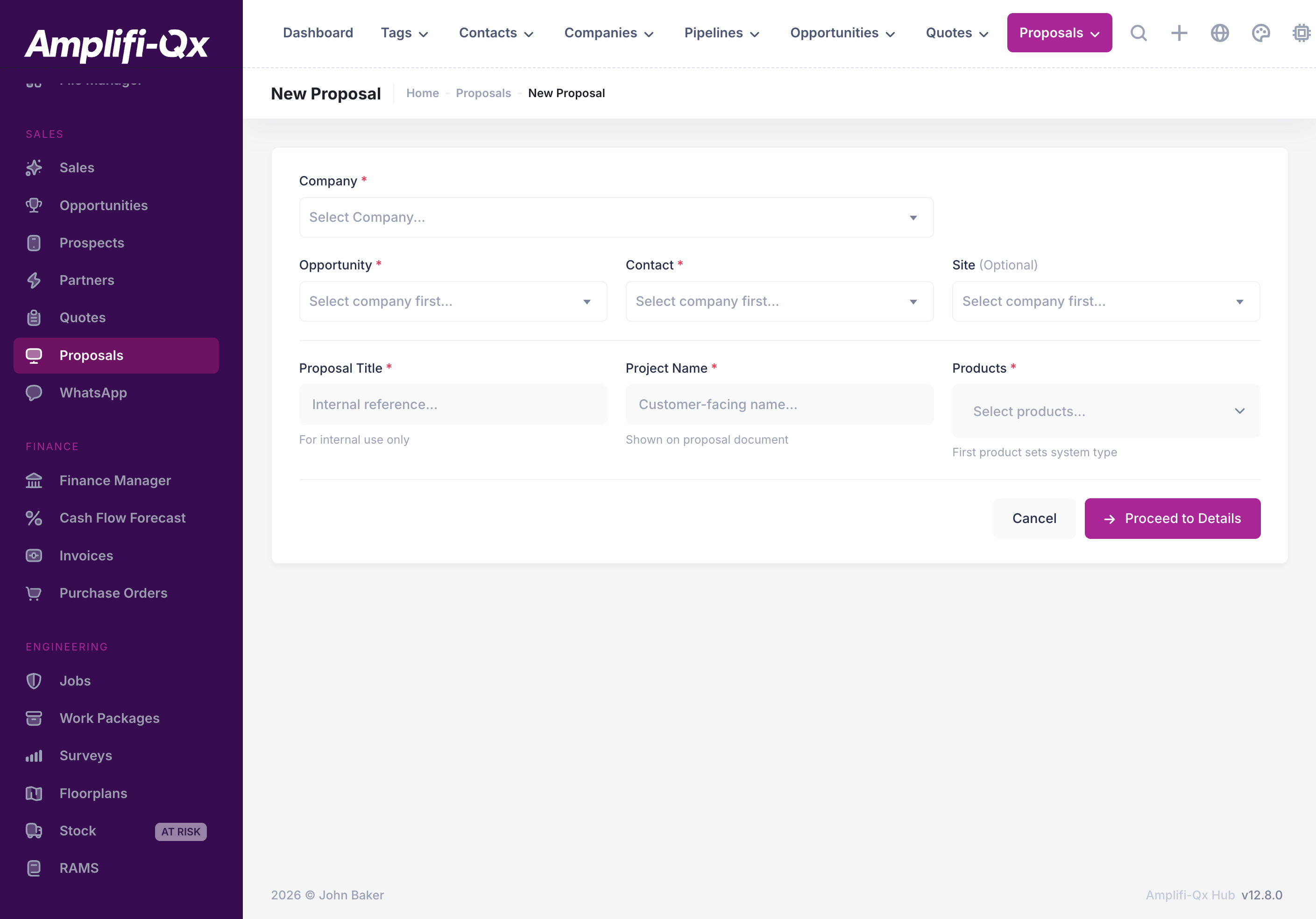
The first step requires core information about your proposal:
Internal information
- Proposal Title* (Internal Reference): clear identifier for internal tracking
- Project Name (Visible to customer): customer-facing project description
Opportunity
- Opportunity*: choose an opportunity for the selected company
Client details
- Company*: select the client company
- Opportunity*: choose an opportunity for that company
- Site: optional (link a site if relevant)
Fields marked with * are required and must be completed before proceeding.
Product selection (template is automatic)
Proposal “templates” are no longer selected manually.
Instead, you select the products included in the proposal, and the system automatically chooses the correct proposal site template (e.g. digital vs analogue).
Step 2: Proposal details ⚙️
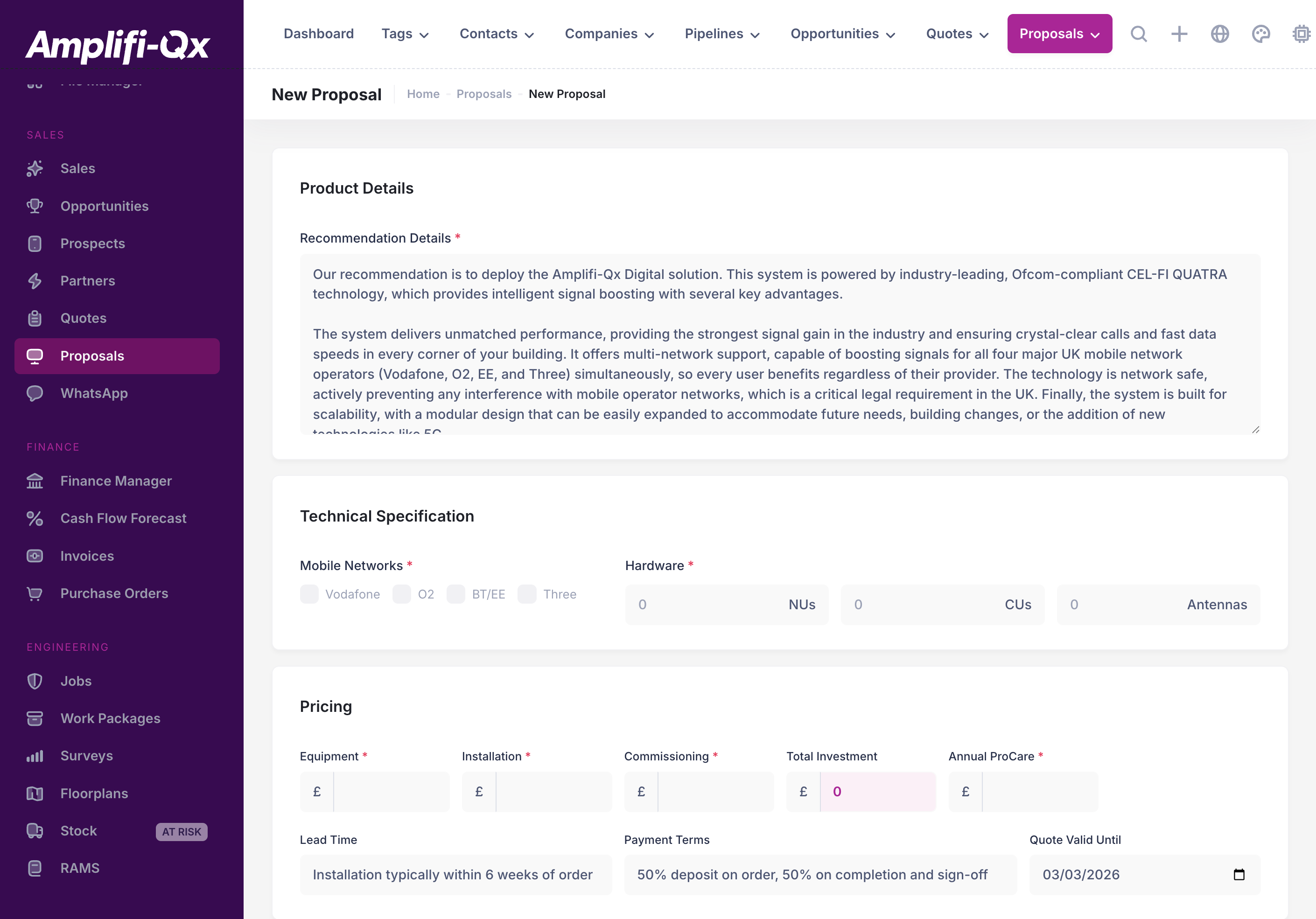
After completing step 1 and clicking Proceed to Details, you’ll configure the content that will appear on the generated proposal site.
Core Components
Recommendation Details 📋
Provide a comprehensive solution overview:
- Clear product recommendation
- Technical specifications
- Implementation approach
- Expected benefits
- Key differentiators
Network Configuration 📡
Mobile Networks Select relevant networks:
- Vodafone
- O2
- BT/EE
- Three
Hardware (system requirements) The hardware fields differ depending on the proposal type:
- Digital: number of NUs, CUs, and internal antennas
- Analogue: number of boosters and internal antennas
Commercial Information 💰
Financial details Pricing is now entered as a breakdown (all ex VAT):
- Equipment
- Installation
- Commissioning
- Annual ProCare (annual maintenance)
The Hub totals these into Total Investment.
Enhancement Features 🎯
Solution Features
Select 6 key features that best represent your solution:
- Technical capabilities
- Service benefits
- Support features
- Implementation advantages
- Unique selling points
Supporting Content
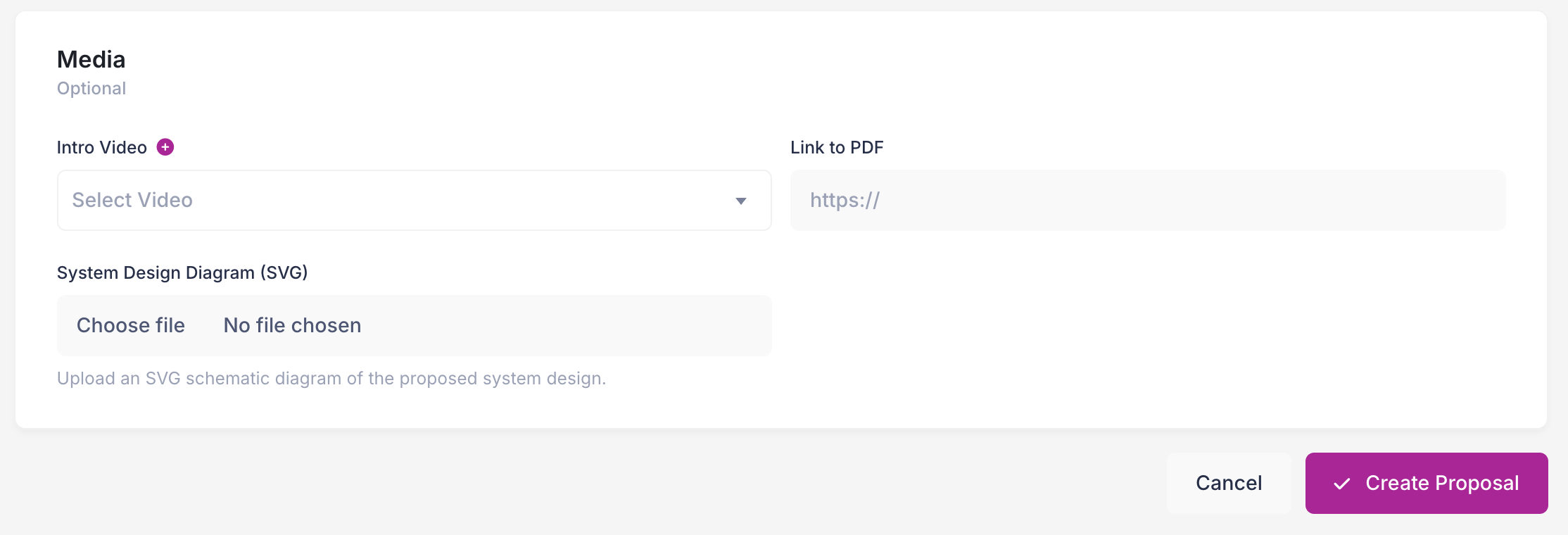
Intro video Optionally add an intro video (selected from videos uploaded in the Hub).
System design diagram (SVG) Upload a system design diagram as an SVG (or use the default).
PDF link The PDF link is added later (not during the initial create step).
Best Practices 💡
Creating Effective Proposals
Content Quality
Ensure comprehensive coverage:
- Clear value proposition
- Specific client benefits
- Technical accuracy
- Implementation clarity
- Commercial transparency
Professional Presentation
Maintain high standards through:
- Consistent formatting
- Clear structure
- Professional language
- Engaging visuals
- Logical flow
Quality Checklist ✅
Before finalizing your proposal, verify:
- Essential Information
- All required fields completed
- Correct company and opportunity details
- Appropriate template selection
- Accurate financial information
- Technical Details
- Network configuration accuracy
- Feature selection completeness
- Equipment specifications
- Implementation requirements
- Supporting Content
- Video integration (if applicable)
- PDF documentation
- Reference materials
- Case studies
- Commercial Details
- Pricing accuracy
- Payment terms
- Service levels
- Implementation timeline
Return to Proposals Overview → Learn About Managing Proposals →
Taking time to properly configure your proposal ensures the best possible presentation of your solution to the client. Use the quality checklist to verify all elements are complete and professional.